Required SAML Details for DOKKA
When configuring SSO, the following values are required by DOKKA:
ACS (Single Sign‑On) URL
https://login.dokka.com/saml2/idpresponseEntity ID (Audience URI / SP Entity ID)
urn:amazon:cognito:sp:eu-west-1_LrCn2Y0ytNameID format
EMAILNameID value
User’s primary email address
These values must be entered exactly as shown in your IdP configuration.
Configuring SSO with Google Workspace
1. Create a Custom SAML Application
In the Google Admin Console:
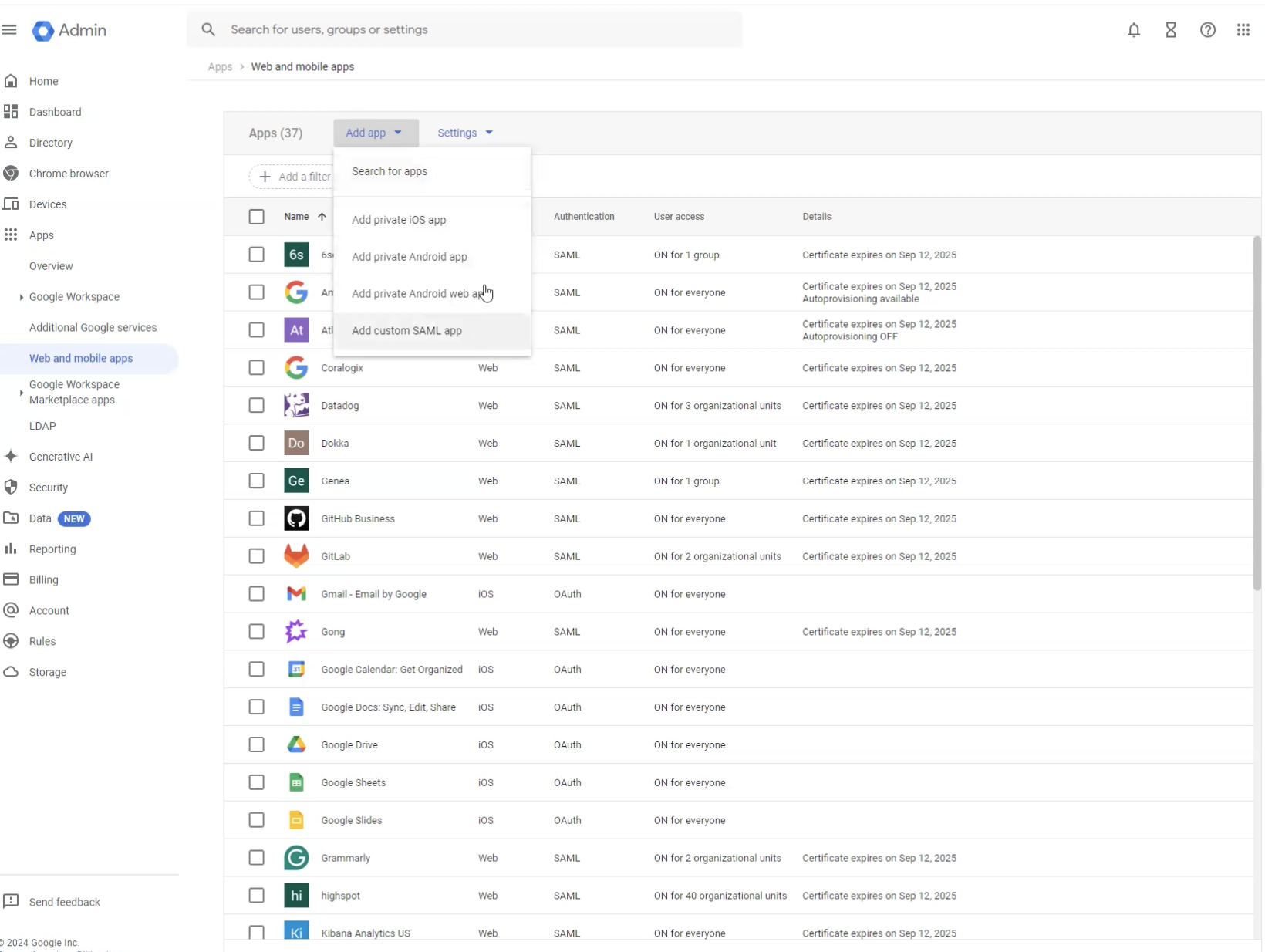
Navigate to Apps → Web and mobile apps
Click Add app → Add custom SAML app
This creates a new SAML integration specifically for DOKKA.
2. Configure Service Provider Details
In the Service provider details step, configure:
ACS URL
https://login.dokka.com/saml2/idpresponseEntity ID
urn:amazon:cognito:sp:eu-west-1_LrCn2Y0ytSigned response
Leave unchecked unless explicitly requested by DOKKA support
3. Configure Name ID
Set the following:
Name ID format: EMAIL
Name ID: Basic Information → Primary email
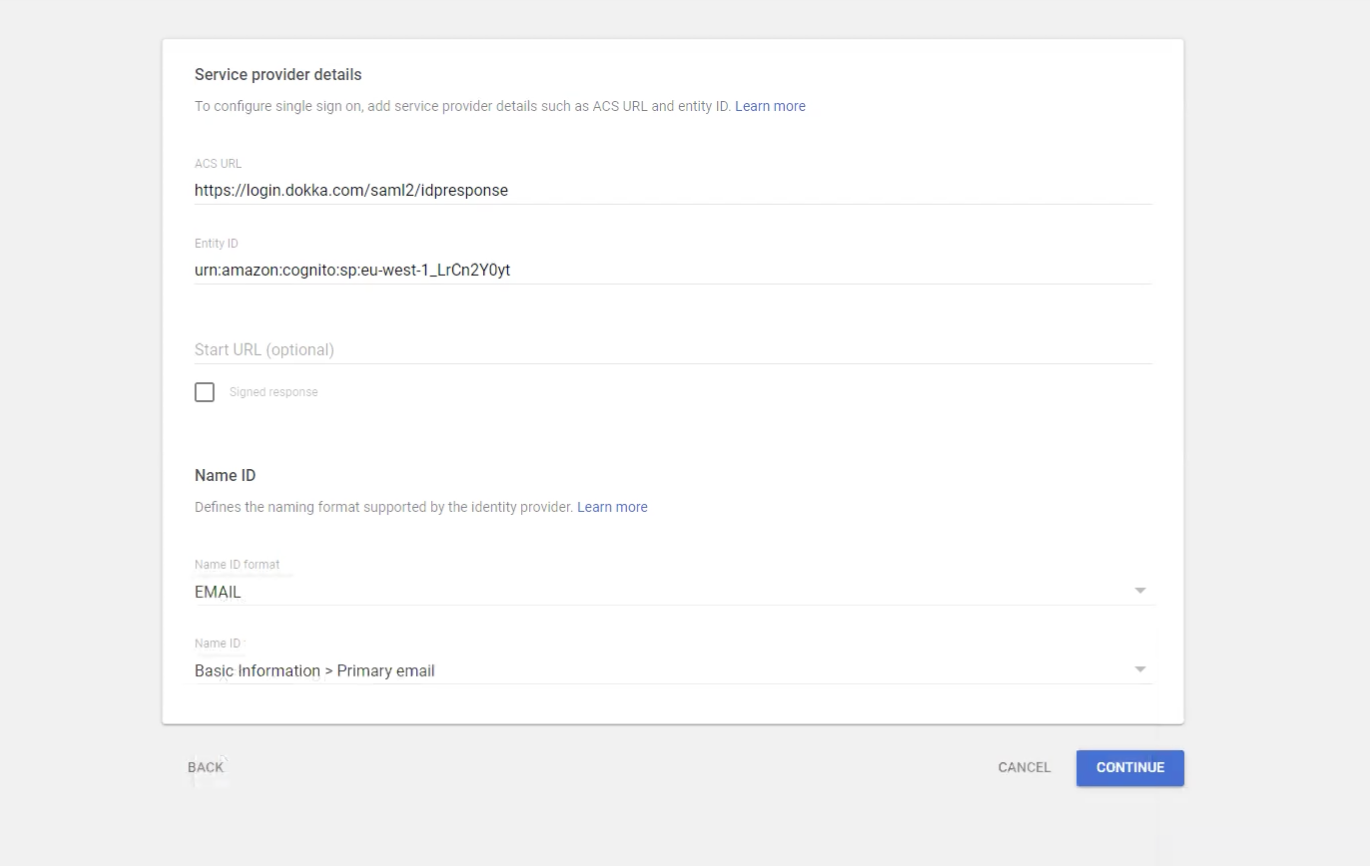
This ensures DOKKA correctly identifies users by email address.
4. Configure Attribute Mapping
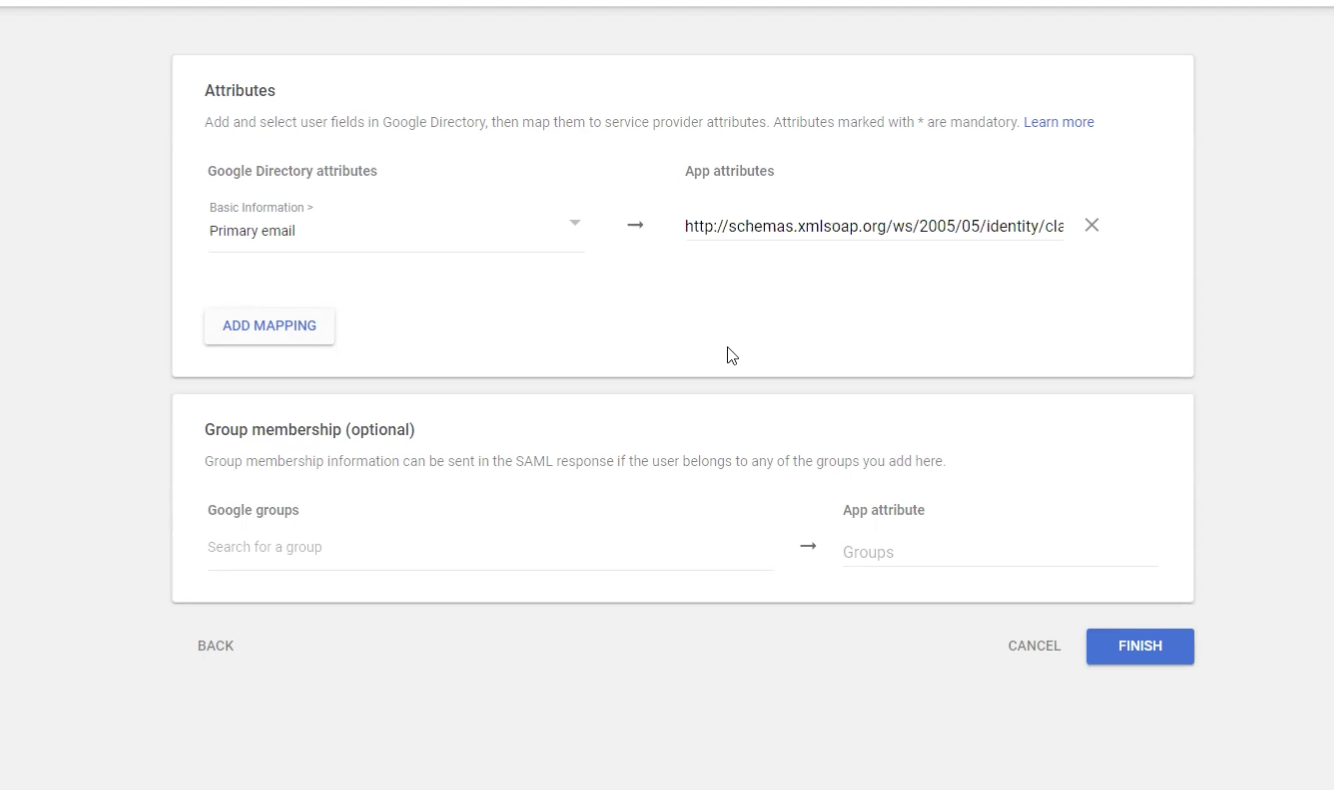
Add the following attribute mapping:
Google Directory attribute: Primary email
App attribute:
http://schemas.xmlsoap.org/ws/2005/05/identity/claims/emailaddress
This attribute is used by DOKKA to associate the authenticated user with an existing account.
Group membership mapping is optional and can be added if required for advanced access control.
5. Enable User Access
Once the app is created:
Turn the app ON for the relevant users, groups, or organizational units
Ensure at least one test user is enabled before proceeding
Was this article helpful?
That’s Great!
Thank you for your feedback
Sorry! We couldn't be helpful
Thank you for your feedback
Feedback sent
We appreciate your effort and will try to fix the article